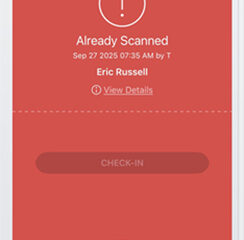
The following information will guide you on downloading, logging into, and using the TicketSpice app for scanning pre-purchased gate passes. If at any point you have questions please reach out to Jennifer, TJ or Frank.
Ticket Spice - How to Steps
Follow the steps below to download and log into the TicketSpice Account. Keep your device locked when not scanning tickets. Try to stay off social media and other apps that will drain your battery throughout the day. If you are in need of a battery pack at any point ask your site director for a battery pack to recharge your phone.
1
Download App for Iphone

Download App for Iphone
2
Download App for Android

Download App for Android
3
Open TicketSpice App on your device

Open TicketSpice App on your device
4
Give this Scanner a Name (enter your name)
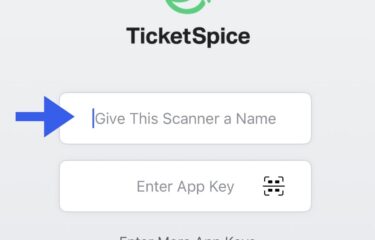
Give this Scanner a Name (enter your name)
5
Enter App Key (select the Scan Icon)
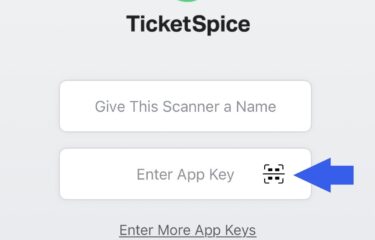
Enter App Key (select the Scan Icon)
6
You will have to scan the code below inside the ticket spice app. You will have to have the code open on another device in order to scan it with your camera.
You will have to scan the code below inside the ticket spice app. You will have to have the code open on another device in order to scan it with your camera.
7
Big League Chew Code

Big League Chew Code
8
State Championship Code

State Championship Code
9
Scan the ticket when the customer approaches.
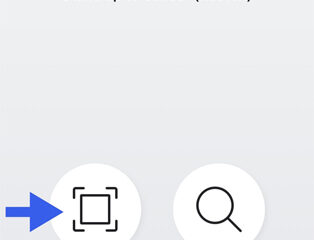
Scan the ticket when the customer approaches.
10
Scan is green, give the customer a band
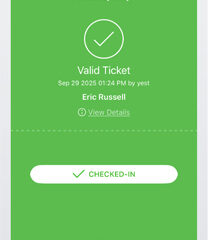
Scan is green, give the customer a band
11
Scan is red, ticket is not valid